I've done a few posts about the r600 chipset and Fedora Linux. I did one awhile back in April of 2008 and I did another in Sept of 2009 so I thought it was about time for another update.
First of all let me say that the r600 driver has gotten much better since April of 2008, it is hardly in the same ballpark. So I am running Fedora 12 will all the currrent updates. The 2.6.32.3-24 kernel and mesa from git. The mesa in F12 is fine, but the one from git contains support for glsl and OpenGL 2.0 vs the OpenGL 1.5 in mesa 7.7.
So lets get to the raw data...
gtkperf -c 500 -a now runs in 36 - 39 seconds on my machine (Q6600 at 2.4Ghz, 64bit, 8GB of RAM). I have switched to using compiz as my window manger which actually may slow the results down a little. And I also have found that the GTK theme can really impact the performance of GTK.
3d apps for the most part run solid, glxgears is around 2000 fps, Quake 3 runs as 90, Nexiuz is 30-40 depending on the detail. Diablo 2 under Wine gives 25fps (which is its max for the most part). I have had some issues with screen corruption when running diablo with -opengl.
My video player, fosfor, that is based on clutter and gstreamer plays quite well. Even with larger files.
So when testing the radeon r6xx driver on Linux, ensure you have the latest packages available. It really makes a difference.
Wednesday, January 20, 2010

Tuesday, November 24, 2009
Fosfor UI
Here is the UI for fosfor. I think I will keep with this model for awhile. The buttons light up as you move over them and the control bar only appears when the mouse is over the window. If you don't move the mouse for 3 seconds the control bar and the pointer disappear. Also there is a slight transparency to the control bar so that you can see the video thru the controls.

The audio and subtitle options do work, but for subtitles, sometimes to get the proper one to appear you need to seek in the media. Problem appears to be in gstreamer, but still seeing if I can work around that issue.

The audio and subtitle options do work, but for subtitles, sometimes to get the proper one to appear you need to seek in the media. Problem appears to be in gstreamer, but still seeing if I can work around that issue.
Monday, November 16, 2009
Fedora 12, WebCam in Flash
If you are using Fedora 12 and the webcam is not working in Flash applications (the camera is not found). Then add this to $HOME/.bash_profile
LD_PRELOAD=/usr/lib64/libv4l/v4l1compat.so
export LD_PRELOAD
If you are on a 32bit machine change 'lib64' to 'lib'
Then logout and log back in and your webcam should start working.
LD_PRELOAD=/usr/lib64/libv4l/v4l1compat.so
export LD_PRELOAD
If you are on a 32bit machine change 'lib64' to 'lib'
Then logout and log back in and your webcam should start working.
Tuesday, November 03, 2009
Fosfor Widgets - Implemented
I was able to get the widgets finished up early this weekend and enable them as the main widgets for the fosfor application. So far everything is working pretty decently. I have some ideas I still want to try and see if they work better but I'm happy so far.

One idea I have is to only show the controls when the mouse is over the media and to have it fade in smoothly. I've seen this on a couple of flash animations and it looks nice.
Fosfor now requires
clutter 1.1.2
clutter-gtk 0.90
clutter-gst 0.90
All of these are found in clutter git, and have not been released yet.

One idea I have is to only show the controls when the mouse is over the media and to have it fade in smoothly. I've seen this on a couple of flash animations and it looks nice.
Fosfor now requires
clutter 1.1.2
clutter-gtk 0.90
clutter-gst 0.90
All of these are found in clutter git, and have not been released yet.
Wednesday, October 21, 2009
Fosfor Widgets
I've been working on creating some user interface widgets that are mostly done using clutter. I'm doing this for a couple of reasons..
1. Possibility of fun fade in / fade out options when controls are shown/hid
2. When running in fullscreen mode the clutter widgets can be over the media and transparent or opaque. For example show the details while playing a video.
Nothing real exciting here, but let me describe what you are seeing.

Only widgets I'm talking about are widgets in the black area
1. The green items is the traditional tracker, I need to work with the thumb look and feel, but it is getting there
2. The Pause button is what a button looks like when the mouse is over the button, the background highlights and as you move the mouse off, it unhighlights and looks kinda like the play button
3. This particular play button is set "insensitive" so it will appear darker than a button that is sensitive.
Colors are taken from the gtk theme, so it should remain consistent with other apps.
Well that is all I have at the moment.
1. Possibility of fun fade in / fade out options when controls are shown/hid
2. When running in fullscreen mode the clutter widgets can be over the media and transparent or opaque. For example show the details while playing a video.
Nothing real exciting here, but let me describe what you are seeing.

Only widgets I'm talking about are widgets in the black area
1. The green items is the traditional tracker, I need to work with the thumb look and feel, but it is getting there
2. The Pause button is what a button looks like when the mouse is over the button, the background highlights and as you move the mouse off, it unhighlights and looks kinda like the play button
3. This particular play button is set "insensitive" so it will appear darker than a button that is sensitive.
Colors are taken from the gtk theme, so it should remain consistent with other apps.
Well that is all I have at the moment.
Wednesday, October 14, 2009
r600 lockups on Fedora 12/rawhide
If you are experiencing lockups when using an r6xx or r7xx card in Fedora Rawhide (12) try adding
pcie_aspm=off
To your kernel command line in /etc/grub.conf. This solved the lockups for me. Dave Airlied is working on fixing this, so this option should not be needed in the Fedora 12 release.
pcie_aspm=off
To your kernel command line in /etc/grub.conf. This solved the lockups for me. Dave Airlied is working on fixing this, so this option should not be needed in the Fedora 12 release.
Tuesday, October 06, 2009
fosfor - media player project
I created a new project at google code called fosfor (phosphor) that is a new player using the clutter and gstreamer code.
You can find the project here
http://code.google.com/p/fosfor/
You can find the project here
http://code.google.com/p/fosfor/
Wednesday, September 23, 2009
GtkBuilder XML to .h file
Here is a little perl script to convert a GtkBuilder .xml file as generated by libglade3 to a .h file. Kind of in the style of gdk-pixbuf-csource.
Use it like this
#!/usr/bin/perl
$var = $ARGV[0];
open IN, "<$var";
$var =~ s/\./_/g;
print "static const char $var\[\] =\n";

while() {
 $line = $_;
 chomp $line;
 $line =~ s/\"/\\\"/g;
 if (/<\/interface>/) {
  print "\"$line\";\n";
 } else {
  print "\"$line\"\n";
 }
}
close IN;
Use it like this
xmltoh.pl GtkBuilder.xml > GtkBuilder.hAnd then #include "GtkBuilder.h" and you should have a variable name GtkBuilder_xml that is a string that holds the xml that gtk_builder_add_from_string can use.
Tuesday, September 22, 2009
Using Clutter and Gstreamer for Media Playback
I have been watching the clutter toolkit for sometime and putting together a couple of demo apps at the same time just to see what it can do. So with Fedora 12, there is a new clutter 1.0. Unfortunately none of my old demo apps work, so clutterdesk and couple of other thing would need to be converted to the clutter 1.0 api. So when I feel like it I'll probably get around to do it. But what was most interesting to me in clutter 1.0 was the new ClutterMedia actor. So I installed the components to use it, and it is based on GStreamer (which finally appears to produce pretty decent output for most media items).
So I created a simple playback area and actually had two videos (one ogg and the other quicktime) playing on a single "stage" with about 30ish lines of code. Could just play the media, but it seemed to work quite well.
Next was to see what it would take to get some information about the media. This was actually the difficult part, but luckily I was able to dig thru the totem code and find the information I needed.
Next was to create a gnome-mplayer like gui for it, but since I was playing with new toys, I decided to use GtkBuilder to do it. I used glade3 to create an XML file that gtkbuilder could read. As a side note, having Glade3 produce an include .h file that contained the XML in a const gchar would be a nice improvement, that way you could just include the .h file and go, nothing else to ship.
Had a few issues figuring out how to use it, but after awhile, I got it and produced something that looks like this. (This is the Harry Potter and the Half Blood Prince trailer, that I have stored locally).

Looks a lot like gnome-mplayer and I think I have about 4-6hrs into learning how to do all this. It is quite interesting and the toolkits are quite well thought out. So I'll continue to play with this demo on and off and see what comes out.
If you would like the code, I would be happy to email it to you.
So I created a simple playback area and actually had two videos (one ogg and the other quicktime) playing on a single "stage" with about 30ish lines of code. Could just play the media, but it seemed to work quite well.
Next was to see what it would take to get some information about the media. This was actually the difficult part, but luckily I was able to dig thru the totem code and find the information I needed.
Next was to create a gnome-mplayer like gui for it, but since I was playing with new toys, I decided to use GtkBuilder to do it. I used glade3 to create an XML file that gtkbuilder could read. As a side note, having Glade3 produce an include .h file that contained the XML in a const gchar would be a nice improvement, that way you could just include the .h file and go, nothing else to ship.
Had a few issues figuring out how to use it, but after awhile, I got it and produced something that looks like this. (This is the Harry Potter and the Half Blood Prince trailer, that I have stored locally).

Looks a lot like gnome-mplayer and I think I have about 4-6hrs into learning how to do all this. It is quite interesting and the toolkits are quite well thought out. So I'll continue to play with this demo on and off and see what comes out.
If you would like the code, I would be happy to email it to you.
Sunday, September 20, 2009
r600 and Fedora 12 Snapshot 3ish
I had been running the r600 drivers or at least trying to, using the git versions of the kernel (drm-next branch), mesa, libdrm and xf86-video-ati on my Fedora 11 machine. And I understand that when running this type of config that things are probably gonna crash.
So when I used this config with KMS/DRI2 enabled it annoyed, but did not surprise me when it crashed. However, to get a stable system I was able to add radeon.modeset=0 to the kernel command line and things just worked correctly. No crashes, fast XV all that stuff.
So I decided that I should upgrade to F12 for a couple of reasons.
1. The new GTK with client side windows was included and I have a feeling that could cause gnome-mplayer some pain
2. The r600 drivers were built in to everything
So after downloading 2.5GB of files and upgrading using preupgrade I rebooted the machine. The preupgrade process ran, but hard locked the machine a couple of times using everything default while the upgrade was running (I should have known then). I finally on the third try added radeon.modeset=0 to the kernel command line and the preupgrade finished. After that was done I ran yum and got the latest of everything else.
Then more pain started. The machine using the default of everything would boot up and let me login and promptly lock pretty much right as the desktop showed up and sometimes it would even lockup in GDM when the screen was shuffling around and sometimes I would get 10 mins before it would lock up. So back to the radeon.modeset=0 option. However, this disabled all acceleration. Firefox was dead slow and xv didn't work. Unacceptable. Tired playing around with it a bit more and was out of lock, all I got were lockups for my efforts.
Luckily my motherboard has the Intel G35 chip onboard so I have that as a backup video card. So out comes the ATI card and in goes the ADD2 DVI adapter that I use with my display. After that everything is pretty happy and no lockups and etracer has twice the framerate with the Intel card as with the ATI card (this should not be). Now I know this is all early stuff and I do expect the ATI card to work eventually. But to have snapshot 3 of Fedora out and to have these kinda lockups, well that kinda sucks.
So when I used this config with KMS/DRI2 enabled it annoyed, but did not surprise me when it crashed. However, to get a stable system I was able to add radeon.modeset=0 to the kernel command line and things just worked correctly. No crashes, fast XV all that stuff.
So I decided that I should upgrade to F12 for a couple of reasons.
1. The new GTK with client side windows was included and I have a feeling that could cause gnome-mplayer some pain
2. The r600 drivers were built in to everything
So after downloading 2.5GB of files and upgrading using preupgrade I rebooted the machine. The preupgrade process ran, but hard locked the machine a couple of times using everything default while the upgrade was running (I should have known then). I finally on the third try added radeon.modeset=0 to the kernel command line and the preupgrade finished. After that was done I ran yum and got the latest of everything else.
Then more pain started. The machine using the default of everything would boot up and let me login and promptly lock pretty much right as the desktop showed up and sometimes it would even lockup in GDM when the screen was shuffling around and sometimes I would get 10 mins before it would lock up. So back to the radeon.modeset=0 option. However, this disabled all acceleration. Firefox was dead slow and xv didn't work. Unacceptable. Tired playing around with it a bit more and was out of lock, all I got were lockups for my efforts.
Luckily my motherboard has the Intel G35 chip onboard so I have that as a backup video card. So out comes the ATI card and in goes the ADD2 DVI adapter that I use with my display. After that everything is pretty happy and no lockups and etracer has twice the framerate with the Intel card as with the ATI card (this should not be). Now I know this is all early stuff and I do expect the ATI card to work eventually. But to have snapshot 3 of Fedora out and to have these kinda lockups, well that kinda sucks.
Friday, September 18, 2009
gnome-mplayer and gecko-mediaplayer 0.9.8 released
gnome-mplayer and gecko-mediaplayer 0.9.8 have been released

Main fix is support for the apple.com trailers site
Support for video at PBS.org
Many bug fixes
Updated translations


Download:
http://gnome-mplayer.googlecode.com/files/gnome-mplayer-0.9.8.tar.gz

http://gecko-mediaplayer.googlecode.com/files/gecko-mediaplayer-0.9.8.tar.gz

Full ChangeLog

http://gnome-mplayer.googlecode.com/svn/tags/v0_9_8/ChangeLog

http://gecko-mediaplayer.googlecode.com/svn/tags/v0_9_8/ChangeLog


Enjoy!
Monday, August 24, 2009
Apple.com Trailers and gecko-mediaplayer
Right after the 0.9.7 release of gecko-mediaplayer I was made aware of the fact the apple.com/trailers videos don't work anymore. They worked about a week ago, but Apple apparently made a change. A bug was opened in the gecko-mediaplayer bug tracker (#34). And due to the information provided on how to work around this bug, I was able to create a patch for this bug.
SVN now has a fix for it and should work correctly. Depending on demand I may do a new release of gecko-mediaplayer.
EDIT: Sept 23,2009. I made a similar patch to mplayerplug-in and the code is in CVS now, or you can get it from the nightly code build on the 24th.
SVN now has a fix for it and should work correctly. Depending on demand I may do a new release of gecko-mediaplayer.
EDIT: Sept 23,2009. I made a similar patch to mplayerplug-in and the code is in CVS now, or you can get it from the nightly code build on the 24th.
Thursday, August 20, 2009
r6xx Mesa 3d Driver on Fedora 11
I've been following the 3d driver development for the r6xx/r7xx chipsets using the open source mesa drivers. Progress has been moving along well. In fact compiz has been working for the last week or so. Today, I did some testing and was able to play Quake3 at around 90fps (1280x1024) on my machine without using fglrx or catalyst. The only trick I needed was to specify.
LIBGL_ALWAYS_INDIRECT=1 quake3
on the command line.
However, I did need libdrm from git, the libdrm/linux-core kernel modules (you may need to regenerate initrd to use these modules) from agd5f's r6xx-r7xx-support branch, mesa git and the ATI ddx from git. Other than that I am using stock Fedora.
I also played vdrift and neverputt today, but etracer and neverball crash, so still more to do.
LIBGL_ALWAYS_INDIRECT=1 quake3
on the command line.
However, I did need libdrm from git, the libdrm/linux-core kernel modules (you may need to regenerate initrd to use these modules) from agd5f's r6xx-r7xx-support branch, mesa git and the ATI ddx from git. Other than that I am using stock Fedora.
I also played vdrift and neverputt today, but etracer and neverball crash, so still more to do.
ANNOUNCE: gnome-mplayer and gecko-mediaplayer 0.9.7 released
gnome-mplayer 0.9.7 changes

New tracker for monitoring media progress
Better subtitle support
New screen redraw code for video
New playlist randomizer, sorting and searching options
New icons
Internal ASX parser
Updated translations

Download here:

http://gecko-mediaplayer.googlecode.com/files/gecko-mediaplayer-0.9.7.tar.gz

gecko-mediaplayer 0.9.7 changes

Linker fixes
RAM file parser
Updated translations

Download here:

http://gecko-mediaplayer.googlecode.com/files/gecko-mediaplayer-0.9.7.tar.gz
Thursday, July 30, 2009
Gnome MPlayer changes
This week I made some interesting changes to Gnome MPlayer.
1. Asynchronous metadata loading. So now a threadpool is used to load the metadata in the background. Not that it is very slow, but it should reduce the time of long playlist loads. On my test of a 300 item playlist it cut the time by at least 50%.
2. Playlist storage rework, before this change I used to hold the playlist twice in memory, once in the load order and another in random order and switch between them as needed. I redesigned this process so that I now use indexes to hold this value. Allows for quicker randomizing, faster playlist loading and hopefully less memory usage. In addition the playlist now has an order parameter and you can sort the playlist by this value by clicking on the Order header. The change does result in when "Shuffle Playlist" is selected just the indexes are shuffled and not the actual items.
3. I also made a bunch of minor changes that were results of bug reports/enhancement requests.
1. Asynchronous metadata loading. So now a threadpool is used to load the metadata in the background. Not that it is very slow, but it should reduce the time of long playlist loads. On my test of a 300 item playlist it cut the time by at least 50%.
2. Playlist storage rework, before this change I used to hold the playlist twice in memory, once in the load order and another in random order and switch between them as needed. I redesigned this process so that I now use indexes to hold this value. Allows for quicker randomizing, faster playlist loading and hopefully less memory usage. In addition the playlist now has an order parameter and you can sort the playlist by this value by clicking on the Order header. The change does result in when "Shuffle Playlist" is selected just the indexes are shuffled and not the actual items.
3. I also made a bunch of minor changes that were results of bug reports/enhancement requests.
Thursday, July 09, 2009
Another new Media Tracker
Well the media tracker in 0.9.6 was not well received. I thought it worked well and gave plenty of feedback and looked ok. I knew it had some "GTK Theme" issues, but in general it stuck the the standards.
So anyway, after messing around with a couple of mockups, I decided to ditch the 0.9.6 media tracker and create a new one. It is a little closer to the one in totem, but still uses as little screen space as possible.

So there you go... this should be in 0.9.7. So far I'm amazed how much code I have changed yet again in the 0.9.6 to 0.9.7 development cycle.
So anyway, after messing around with a couple of mockups, I decided to ditch the 0.9.6 media tracker and create a new one. It is a little closer to the one in totem, but still uses as little screen space as possible.

So there you go... this should be in 0.9.7. So far I'm amazed how much code I have changed yet again in the 0.9.6 to 0.9.7 development cycle.
Thursday, May 07, 2009
ClutterDesk
ClutterDesk is starting to be something. I can have it run and take over the desktop now and then you can open folders and applications (using gnome-open). You can also drag items around, but nothing remembers where it was from run to run.
I'm thinking of turning this into a real project now. It does require accelerated 3d to work. (my r6xx, with the radeon driver, sucks running it).
I'm thinking of turning this into a real project now. It does require accelerated 3d to work. (my r6xx, with the radeon driver, sucks running it).
Wednesday, May 06, 2009
Followup on an Application Idea - ClutterDesk
About a year ago, I posted an idea about an application idea. Nobody ever took me up on it as far as I can tell. So I finally had some time and thought I would post a slight mockup of the idea. So here is a video that shows the mock up I have made. I developed this in about 2-3 hrs using the clutter library.
I'll continue working on this mockup and eventually turn it into something as I have time, but if anyone wants to run with it and make it a real app, I'll be happy to provide code.
I'll continue working on this mockup and eventually turn it into something as I have time, but if anyone wants to run with it and make it a real app, I'll be happy to provide code.
Friday, May 01, 2009
Picasa on Fedora 11
I found out today that in order to run Picasa on Fedora 11, you need to have the openssl-devel.i586 package installed. This package includes libssl.so, which is what Picasa needs when connecting to the Google site.
I found this odd, because -devel packages are normally not needed on non-developer machine. But just thought I would share this information.
You might also want to install nss-mdns.i586
I found this odd, because -devel packages are normally not needed on non-developer machine. But just thought I would share this information.
You might also want to install nss-mdns.i586
Wednesday, April 08, 2009
More F11 sound tips
I was having some issues with F11 and mplayer, in that the first few seconds of a file would be played at an odd rate or delayed at the start
Editing /etc/pulse/default.pa
and changing
load-module module-hal-detect
to
load-module module-hal-detect tsched=0
Got rid of that lag, also I found that commenting out 'load-module module-suspend-on-idle' in that file didn't seem to hurt.
I also found that if you have the snd_hda_intel device and you are hearing loud pops, you might want to try this
echo "options snd_hda_intel power_save=0" > /etc/modprobe.d/snd_hda_intel.conf
After doing all that, reboot and enjoy sound again... Now this all applies to the beta, so in the future these tips may be all wrong.
UPDATE: It appears that this issue has been fixed in rawhide and so the tsched=0 is no longer needed.
Editing /etc/pulse/default.pa
and changing
load-module module-hal-detect
to
load-module module-hal-detect tsched=0
Got rid of that lag, also I found that commenting out 'load-module module-suspend-on-idle' in that file didn't seem to hurt.
I also found that if you have the snd_hda_intel device and you are hearing loud pops, you might want to try this
echo "options snd_hda_intel power_save=0" > /etc/modprobe.d/snd_hda_intel.conf
After doing all that, reboot and enjoy sound again... Now this all applies to the beta, so in the future these tips may be all wrong.
UPDATE: It appears that this issue has been fixed in rawhide and so the tsched=0 is no longer needed.
Saturday, April 04, 2009
Disable 'flat' volume in pulseaudio 0.9.15
If you don't like the new 'flat' volume feature in pulseaudio 0.9.15, like I don't then try this.
Login as root and run
echo "flat-volumes = no" >> /etc/pulse/daemon.conf
And then relogin to your desktop, and that should do it.
Login as root and run
echo "flat-volumes = no" >> /etc/pulse/daemon.conf
And then relogin to your desktop, and that should do it.
Tuesday, March 17, 2009
New Media Tracker
As you can tell I'm been on kind of on a gui cleanup roll. After learning how to make widgets and finally having the time to think about what I wanted, I wrote a new tracker widget. I think this widget looks great. You'll see it below where the time of the file is.

Let me know if you agree or not. Also this code is now in SVN.

Let me know if you agree or not. Also this code is now in SVN.
Monday, March 16, 2009
Audio Meter hits gnome-mplayer
I am just about ready to commit the first version of gnome-mplayer with the audio meter integrated... Here is what it currently looks like.

Seems to be working pretty good, and I created it as a full widget, so it could be reused in other projects quite easily.

Seems to be working pretty good, and I created it as a full widget, so it could be reused in other projects quite easily.
Sunday, March 15, 2009
GtkStyleColors
I wrote a little app for GTK that displays the style colors of the current theme. If you would like a copy of it, drop me an email..
It looks like this

I found it useful for picking which color to use when creating some GTK widgets.
It looks like this

I found it useful for picking which color to use when creating some GTK widgets.
Saturday, March 14, 2009
Audio Meter
Zdravko Nikolov asked be if gnome-mplayer could have an audio meter. I had looked at this in the past and didn't get very far with it and so I decided to take a look at it again. The first thing was how to get the data from mplayer and then I found the export audio filter. I still don't quite get what I am actually getting from the filter, but the data is interesting enough that when graphed it gives something like an audio meter. Now audio techies are probably gonna think what I came up with is an abomination, but it looks pretty and for some people that is all they want.
Here is a screenshot of what I current have working in some test code, and the next thing will be to merge it into the gnome-mplayer code base.

It does scale out and so as you drag the window, everything scales up, which is good. Also if anyone has better math for this or can enlighten me a little as to what the data actually is that would be great.
Here is a screenshot of what I current have working in some test code, and the next thing will be to merge it into the gnome-mplayer code base.

It does scale out and so as you drag the window, everything scales up, which is good. Also if anyone has better math for this or can enlighten me a little as to what the data actually is that would be great.
Friday, March 13, 2009
Gnome MPlayer and Gecko MediaPlayer 0.9.5 Released
gnome-mplayer 0.9.5 is available here:
http://gnome-mplayer.googlecode.com/files/gnome-mplayer-0.9.5.tar.gz

gecko-mediaplayer 0.9.5 is available here:
http://gecko-mediaplayer.googlecode.com/files/gecko-mediaplayer-0.9.5.tar.gz


Translation updates, general bug fixes. So hot key changes for example
playlist is now F9, to be more compatible with other Gnome Apps

New features:
gnome-mplayer now includes a property page in Nautilus that displays
media info. To use restart nautilus after installing and then select a
media file and choose properties, you should see an Audio/Video tab and
you can view the properties that mplayer knows there. If you have totem
installed you might see two pages.
Saturday, February 28, 2009
Gnome Theme - Japan 2007
I was looking at some themes for the E17 window manager and found one called Japan2007. I liked the colors in it and so I grabbed the screen shot and then used gimp to find out the color ids. So since I use gnome, I setup up my preferences using these colors. Here is what I came up with.
Controls: Nodeka
Colors:
Window - #D8D9CC
Input Box - #EDEDE6
Selected Items - #D3D5C0
Tooltips - #F5F5B5
For all the text I used black or #000000
Window Border: Nodeka
Icons: Gnome
It looks like this

Controls: Nodeka
Colors:
Window - #D8D9CC
Input Box - #EDEDE6
Selected Items - #D3D5C0
Tooltips - #F5F5B5
For all the text I used black or #000000
Window Border: Nodeka
Icons: Gnome
It looks like this

Friday, February 27, 2009
Glest and Catalyst 9.1 with dual head
I wanted to try out the game Glest on my machine and ran into some odd things.
1. Running with two displays, the game spans over both displays with the menu being split right down the middle. I'm guessing this is due to the xrandr 1.1 compatibility of the Catalyst 9.1 (fglrx 9.1) drivers.
2. Switching the displays into clone mode prior to bringing up game and then trying to start it, causes the game to crash on start.
[kdekorte@quad ~]$ glest
X Error of failed request: BadValue (integer parameter out of range for operation)
Major opcode of failed request: 135 (XFree86-VidModeExtension)
Minor opcode of failed request: 10 (XF86VidModeSwitchToMode)
Value in failed request: 0x5b
So I guess I am kinda out of luck trying out the game. I might try and play it in dual head and see if I can move some of the in game menus around. But for games, I really wish they would stick to one display unless told otherwise.
1. Running with two displays, the game spans over both displays with the menu being split right down the middle. I'm guessing this is due to the xrandr 1.1 compatibility of the Catalyst 9.1 (fglrx 9.1) drivers.
2. Switching the displays into clone mode prior to bringing up game and then trying to start it, causes the game to crash on start.
[kdekorte@quad ~]$ glest
X Error of failed request: BadValue (integer parameter out of range for operation)
Major opcode of failed request: 135 (XFree86-VidModeExtension)
Minor opcode of failed request: 10 (XF86VidModeSwitchToMode)
Value in failed request: 0x5b
So I guess I am kinda out of luck trying out the game. I might try and play it in dual head and see if I can move some of the in game menus around. But for games, I really wish they would stick to one display unless told otherwise.
Monday, February 23, 2009
Nautilus Property Page now included in Gnome MPlayer
Andrew Kluger asked me that since I had a replacement for all of the Totem components (thumbnailer, browser plugin, media player) except for a property page in Nautilus then perhaps I could create one. I took a look at how Totem did it an determined that it didn't look that bad. So I started working on it and within about 4 hrs had something functional. It may not be finished yet, but it seems to fit the bill.

So how it works, is you install Gnome MPlayer from SVN (0.9.5) and it will install the Nautilus plugin. Select a media file that has an appropriate mime type (if your file type is missing, let me know and I'll add it), and right click on the file. Select properties and you should then see the Audio/Video tab. Click on it an it should then give you details about the media file based on what MPlayer knows about the file.

So how it works, is you install Gnome MPlayer from SVN (0.9.5) and it will install the Nautilus plugin. Select a media file that has an appropriate mime type (if your file type is missing, let me know and I'll add it), and right click on the file. Select properties and you should then see the Audio/Video tab. Click on it an it should then give you details about the media file based on what MPlayer knows about the file.
Wednesday, February 04, 2009
New gnome-mplayer and gecko-mediaplayer 0.9.4
gnome-mplayer 0.9.4 has been released you can download it here
http://gnome-mplayer.googlecode.com/files/gnome-mplayer-0.9.4.tar.gz
gecko-mediaplayer 0.9.4 has been released you can download it here
http://gecko-mediaplayer.googlecode.com/files/gecko-mediaplayer-0.9.4.tar.gz
Changes:
gnome-mplayer
Compatibility with Free/Open/NetBSD
Updated translations
New commandline option "--showsubtitles" defaults to 1, set to 0 to
prevent subtitles from showing by default.
Cleanup glib/gtk assertions
Fix window resize issues
Better handling of initial video playback window, should cause fewer resizes
Fix crashes when HOME is not set
Fix some realplayer emulation issues, may not be entirely fixed as
problem site is not accessible at my location
Stability improvements
Compatibility with libgpod 0.7 (API change between 0.6 and 0.7)
Mixer option is only used when the ALSA ao is selected
gecko-mediaplayer
Switch from XPCOM to NPRuntime Mozilla interface, removes need of idl
compiler and should work on more platforms easier
Compatibility with with Konqueror 4
Fix problems with realmedia sites that use a control parameter that dbus
does not like
http://gnome-mplayer.googlecode.com/files/gnome-mplayer-0.9.4.tar.gz
gecko-mediaplayer 0.9.4 has been released you can download it here
http://gecko-mediaplayer.googlecode.com/files/gecko-mediaplayer-0.9.4.tar.gz
Changes:
gnome-mplayer
Compatibility with Free/Open/NetBSD
Updated translations
New commandline option "--showsubtitles" defaults to 1, set to 0 to
prevent subtitles from showing by default.
Cleanup glib/gtk assertions
Fix window resize issues
Better handling of initial video playback window, should cause fewer resizes
Fix crashes when HOME is not set
Fix some realplayer emulation issues, may not be entirely fixed as
problem site is not accessible at my location
Stability improvements
Compatibility with libgpod 0.7 (API change between 0.6 and 0.7)
Mixer option is only used when the ALSA ao is selected
gecko-mediaplayer
Switch from XPCOM to NPRuntime Mozilla interface, removes need of idl
compiler and should work on more platforms easier
Compatibility with with Konqueror 4
Fix problems with realmedia sites that use a control parameter that dbus
does not like
Monday, February 02, 2009
Google Earth on Fedora 10
If you are running Google Earth on Fedora 10 and are getting the following dialog box:
Google Earth Error
Google Earth detected an error while trying to authenticate. Please
check the following:
- your network connection (can you get to www.google.com?)
- your firewall settings
(are you blocking /usr/lib/googleearth/googleearth-bin?)
Error code: 29
For more information, visit:
Try installing nss-mdns.i386, it solved the problem for me.
Google Earth Error
Google Earth detected an error while trying to authenticate. Please
check the following:
- your network connection (can you get to www.google.com?)
- your firewall settings
(are you blocking /usr/lib/googleearth/googleearth-bin?)
Error code: 29
For more information, visit:
Try installing nss-mdns.i386, it solved the problem for me.
Linux Catalyst 9.1 on Fedora 10
I've been using Fedora and ATI cards together for awhile and the fglrx support has always been kinda hit and miss. The last combination that worked well was Fedora 8 and fglrx 8.10 (I believe). Anyway, when I upgraded to Fedora 10, I did not expect it work well and I had trouble with 8.11 and 8.12 various issues from no display to no 3d support.
So when 9.1 came out, I was not expecting much. However, I installed the akmod-fglrx package from rpmfusion-updates-testing today and so far I have been happy. I run a x86_64 distrobution so I had to install the additional xorg-x11-drv-fglrx-libs-8.573-1.9.1.fc10.i386 package so that 3d would work with i386 applications like SecondLife. If you don't have this installed SecondLife will run at a reduced frame rate. I have not seen other apps that have required this. And since I run dual head I had to remove the virtual setting from the screen area so that fglrx set the screen rez correctly (leaving this in caused the horizontal width to be much to wide). I used the ATI Catalyst Control Center to setup the dual head setting (in previous versions this application crashed) and restarted and everything looked correct.
But I will say that Fedora 10 and Catalyst 9.1 do work together and it seems to work well. Thanks rpmfusion!
So when 9.1 came out, I was not expecting much. However, I installed the akmod-fglrx package from rpmfusion-updates-testing today and so far I have been happy. I run a x86_64 distrobution so I had to install the additional xorg-x11-drv-fglrx-libs-8.573-1.9.1.fc10.i386 package so that 3d would work with i386 applications like SecondLife. If you don't have this installed SecondLife will run at a reduced frame rate. I have not seen other apps that have required this. And since I run dual head I had to remove the virtual setting from the screen area so that fglrx set the screen rez correctly (leaving this in caused the horizontal width to be much to wide). I used the ATI Catalyst Control Center to setup the dual head setting (in previous versions this application crashed) and restarted and everything looked correct.
But I will say that Fedora 10 and Catalyst 9.1 do work together and it seems to work well. Thanks rpmfusion!
Thursday, January 29, 2009
gnome-mplayer 0.9.4 will work with the *BSDs
I've had an open issue with gnome-mplayer not working on the BSDs for awhile now. It always seemed to be a locking error with the code and the problem didn't happen on any of my machines. After trying to have people help me debug it, it kept coming back to the same issue, the second call to g_mutex_lock didn't block, it would just go on thru. So I decided to bite the bullet and install FreeBSD 7 on a VM. I was able to duplicate the issue quite easily. So the next step was to write a test program that simulated my code. I did that and found that the test program behaved the same way that gnome-mplayer did in Linux and BSD. So I then opened a bug on GLIB. The comment was that the a GMutex was not guaranteed to be recursive or non-recursive. What this means is that depending on your environment the way it works changes. So I did a little chatting on irc and __tim told me to check out GCond objects. So I tweaked my test program from using a second lock to g_cond_wait(...) and changed the g_mutex_unlocks to g_cond_signal(...) . After that the test program ran correctly on both Linux and FreeBSD.
So after seeing how the test program worked, I made the needed changes to gnome-mplayer. Did some quick tests on Linux and FreeBSD and everything worked properly. The changes were committed to SVN, so expect to see gnome-mplayer available for *BSD in the near future.
So after seeing how the test program worked, I made the needed changes to gnome-mplayer. Did some quick tests on Linux and FreeBSD and everything worked properly. The changes were committed to SVN, so expect to see gnome-mplayer available for *BSD in the near future.
Thursday, January 08, 2009
gecko-mediaplayer: Replacing XPCom with NPRuntime
Thought I would give a little post-op on the XPCom to NPRuntime conversion. One of the biggest issues with XPCom was the need for .idl files and the code that went along with them. How an .idl file worked was that you declared a class with a unique id and then the methods and properties of that class. Then you took that .idl file and ran it thru the xpidl compiler and this gave and .xpt and a .h file as the output. The .xpt was used by firefox,mozilla, et al to know what methods the class/plugin provided. The .h file was used by the code to create then entry points for the methods. Anyway, getting all the working on many different distrobutions was a pain. Many of the files needed for this step ended up in different places and usually the .pc files (the pkg-config files that say where everything is) were wrong.
So with libxul 1.9.1 coming out shortly and it changing things with XPCom again I decided to look at npruntime since that is where things need to go anyway. Before doing this I did make sure that I could get the plugin working in XPCom mode with 1.9.1 and I was able to, with some minimal fuss. But still decided to take a look into the conversion since I was sick of the whole idl thing.
I planned that the conversion to npruntime would take me about a month on an off and just getting it work, based on the issues I had to get xpcom working initially (this is the mplayerplug-in 2.0 code, version prior to 2.0 had no javascript support).
I started looking at the npruntime sample that I had I started cutting out code from gecko-mediaplayer first. Took about 2-3 hrs and I had the code running and linking against npruntime but without javascript code. I took, npn_gate,npp_gate and np_entry from the sample to get going. At first I didn't think I should touch those files, but after looking at them and reading the comments in them, it looked like I should edit them as needed. Once I got past this step I was actually able to get the plugin to do something other than stare at me. So I got it doing the basics and then I thought I should get javascript working.
So again I looked at the sample and noticed that the classes in the file, kinda resembled the stuff from XPCom and so I decided to get two methods working, play and pause. I had to declare an id and then define that id to be the same as the methods that I did in the .idl file. I then had to edit HasMethod to say, yeah I could handle that id. After I got HasMethod working I noticed that the code was dropping into Invoke and found that with a couple of lines of code I could take the same call that I used in the XPCom callbacks and apply it here. Once I got that working I started doing the bookwork and created all the methods and the callbacks. The same was pretty much true for the properties as well. And in about 8 hrs of work it was pretty much working.
The conversion turned out to be much less work than I expected it to be and I think the code is actually easier to understand now. Before I really dug into this, I looked at it and just was really dreading the conversion as I expected it to be a huge learning curve, but actually I was able to reuse a lot of what I already knew.
So with libxul 1.9.1 coming out shortly and it changing things with XPCom again I decided to look at npruntime since that is where things need to go anyway. Before doing this I did make sure that I could get the plugin working in XPCom mode with 1.9.1 and I was able to, with some minimal fuss. But still decided to take a look into the conversion since I was sick of the whole idl thing.
I planned that the conversion to npruntime would take me about a month on an off and just getting it work, based on the issues I had to get xpcom working initially (this is the mplayerplug-in 2.0 code, version prior to 2.0 had no javascript support).
I started looking at the npruntime sample that I had I started cutting out code from gecko-mediaplayer first. Took about 2-3 hrs and I had the code running and linking against npruntime but without javascript code. I took, npn_gate,npp_gate and np_entry from the sample to get going. At first I didn't think I should touch those files, but after looking at them and reading the comments in them, it looked like I should edit them as needed. Once I got past this step I was actually able to get the plugin to do something other than stare at me. So I got it doing the basics and then I thought I should get javascript working.
So again I looked at the sample and noticed that the classes in the file, kinda resembled the stuff from XPCom and so I decided to get two methods working, play and pause. I had to declare an id and then define that id to be the same as the methods that I did in the .idl file. I then had to edit HasMethod to say, yeah I could handle that id. After I got HasMethod working I noticed that the code was dropping into Invoke and found that with a couple of lines of code I could take the same call that I used in the XPCom callbacks and apply it here. Once I got that working I started doing the bookwork and created all the methods and the callbacks. The same was pretty much true for the properties as well. And in about 8 hrs of work it was pretty much working.
The conversion turned out to be much less work than I expected it to be and I think the code is actually easier to understand now. Before I really dug into this, I looked at it and just was really dreading the conversion as I expected it to be a huge learning curve, but actually I was able to reuse a lot of what I already knew.
Friday, January 02, 2009
radeonhd drivers on r600
After installing libdrm and radeonhd from the r6xx-r7xx-support branch. And running configure with the --prefix=/usr and --libdir=/usr/lib64 and making a slight modification to the libtool file in drm so that it would install when the libdir was /usr/lib64 I got my system back up and working in the same state as before. Except that with radeonhd I need to enable the composite manager in metacity to make it display better.
After that I reran the gtkperf -c 500 -a test and got this
GtkPerf 0.40 - Starting testing: Fri Jan 2 12:57:55 2009
GtkEntry - time: 0.16
GtkComboBox - time: 4.70
GtkComboBoxEntry - time: 4.07
GtkSpinButton - time: 0.41
GtkProgressBar - time: 0.26
GtkToggleButton - time: 0.70
GtkCheckButton - time: 0.51
GtkRadioButton - time: 0.90
GtkTextView - Add text - time: 8.33
GtkTextView - Scroll - time: 0.98
GtkDrawingArea - Lines - time: 2.02
GtkDrawingArea - Circles - time: 3.88
GtkDrawingArea - Text - time: 2.93
GtkDrawingArea - Pixbufs - time: 0.35
---
Total time: 30.20
Which is a fun 5 seconds faster than the eariler test... excellent
After that I reran the gtkperf -c 500 -a test and got this
GtkPerf 0.40 - Starting testing: Fri Jan 2 12:57:55 2009
GtkEntry - time: 0.16
GtkComboBox - time: 4.70
GtkComboBoxEntry - time: 4.07
GtkSpinButton - time: 0.41
GtkProgressBar - time: 0.26
GtkToggleButton - time: 0.70
GtkCheckButton - time: 0.51
GtkRadioButton - time: 0.90
GtkTextView - Add text - time: 8.33
GtkTextView - Scroll - time: 0.98
GtkDrawingArea - Lines - time: 2.02
GtkDrawingArea - Circles - time: 3.88
GtkDrawingArea - Text - time: 2.93
GtkDrawingArea - Pixbufs - time: 0.35
---
Total time: 30.20
Which is a fun 5 seconds faster than the eariler test... excellent
Radeon r600 drivers
It appears that the r600/r700 AMD/ATI chipsets are finally making some progress on getting hardware acceleration going. So I'll be doing some testing here with them in the future.
As of right now I'm running Fedora 10 and am using the xorg-x11-drv-ati drivers that come with Fedora 10 and they are giving these performance metrics. rpm is xorg-x11-drv-ati-6.9.0-63.fc10.x86_64
gtkperf -c 500 -a
GtkPerf 0.40 - Starting testing: Fri Jan 2 11:46:31 2009
GtkEntry - time: 0.18
GtkComboBox - time: 6.01
GtkComboBoxEntry - time: 5.69
GtkSpinButton - time: 0.43
GtkProgressBar - time: 0.25
GtkToggleButton - time: 0.86
GtkCheckButton - time: 0.61
GtkRadioButton - time: 1.04
GtkTextView - Add text - time: 8.95
GtkTextView - Scroll - time: 1.61
GtkDrawingArea - Lines - time: 1.60
GtkDrawingArea - Circles - time: 4.31
GtkDrawingArea - Text - time: 3.20
GtkDrawingArea - Pixbufs - time: 0.45
---
Total time: 35.17
glxgears is not hardware accelerated yet.
glxgears
1071 frames in 5.0 seconds = 214.146 FPS
1075 frames in 5.0 seconds = 214.934 FPS
Also to note that I am running two screens with one desktop across them.
As of right now I'm running Fedora 10 and am using the xorg-x11-drv-ati drivers that come with Fedora 10 and they are giving these performance metrics. rpm is xorg-x11-drv-ati-6.9.0-63.fc10.x86_64
gtkperf -c 500 -a
GtkPerf 0.40 - Starting testing: Fri Jan 2 11:46:31 2009
GtkEntry - time: 0.18
GtkComboBox - time: 6.01
GtkComboBoxEntry - time: 5.69
GtkSpinButton - time: 0.43
GtkProgressBar - time: 0.25
GtkToggleButton - time: 0.86
GtkCheckButton - time: 0.61
GtkRadioButton - time: 1.04
GtkTextView - Add text - time: 8.95
GtkTextView - Scroll - time: 1.61
GtkDrawingArea - Lines - time: 1.60
GtkDrawingArea - Circles - time: 4.31
GtkDrawingArea - Text - time: 3.20
GtkDrawingArea - Pixbufs - time: 0.45
---
Total time: 35.17
glxgears is not hardware accelerated yet.
glxgears
1071 frames in 5.0 seconds = 214.146 FPS
1075 frames in 5.0 seconds = 214.934 FPS
Also to note that I am running two screens with one desktop across them.
gnome-mplayer and gecko-mediaplayer 0.9.3 released
Updated versions of gnome-mplayer and gecko-mediaplayer have been released. Pretty much several small fixes for a few annoying issues. But would recommend the update.
Wednesday, December 17, 2008
Perl glob performance
I was working on a project and found that my file server that I was pulling data off of seemed a little slow when getting the list of filenames. I was using 'glob' to get a list of files from the server and then kept the 10 most recent (the file names were sequential so a reverse sort gave that simply). But I found that the glob was taking a long time (there were about 4000 files in the directory and I could not remove them due to business rules). So I asked on the perl irc channel and found that they recommended using opendir/readdir over the glob call since glob does a stat on everyfile, making it run slower. So replacing (1) with (2) resulted in a 10 times speed up of my code for just this part of the code.
(1)
@files = glob "d:/path/to/directory/*";
$i = 1;
foreach $file (reverse(sort @files)) {
print $file . "\n";
$i++;
if ($i > 10) {
last;
}
}
(2)
opendir DH, "d:/path/to/directory/";
@files = readdir DH;
$i = 1;
foreach $file (reverse(sort @files)) {
print $file . "\n";
$i++;
if ($i > 10) {
last;
}
}
closedir DH;
I found this change useful so I thought I would share it.
(1)
@files = glob "d:/path/to/directory/*";
$i = 1;
foreach $file (reverse(sort @files)) {
print $file . "\n";
$i++;
if ($i > 10) {
last;
}
}
(2)
opendir DH, "d:/path/to/directory/";
@files = readdir DH;
$i = 1;
foreach $file (reverse(sort @files)) {
print $file . "\n";
$i++;
if ($i > 10) {
last;
}
}
closedir DH;
I found this change useful so I thought I would share it.
Thursday, December 04, 2008
Recover a failing disk using a Linux Live CD
I had a friends disk fail the other day and this is how I attempted to recover it.
First the situation, a Windows XP machine that was having trouble booting. I eventually got it to boot but shortly after that the disk in the machine started giving random read/write errors. So here is how I tried to recover it.
Tools:
Fedora Live CD (I used Fedora 8 cause that is what I had)
A Fedora Linux based file server with lots of diskspace or another hard drive.
My file server is setup as a samba server, so a Windows Server could be used in place if you have one.
mkdir /media/public
Mount the fileserver
mount -t cifs //[hostname or ip]/[share] [local path] -o username=[id]
e.g. mount -t cifs //192.168.0.210/public /media/public -o username=anyone
It will ask for a password, and you should give the password for the anyone account.
If you are using another disk you can just mount it. The device name will probably be /dev/sdb1, but check dmesg to be sure.
mount /dev/sdb1 /media/public
This may take several hours or even days and will take up large amounts of diskspace. In my case it was 2 days and 40GB.
Loop method (requires Linux)
Create the local mount point
mkdir /mnt/disk
Mount the image using a loop device
mount -o loop -t ntfs-3g [path to disk.img] [mount point]
e.g. mount -o loop -t ntfs-3g /data/public/disk.img /mnt/disk
Copy the needed files from the /mnt/disk directory.
If the disk image is not mounted, you might be able to boot the image using qemu with the following command:
qemu -m 512 -hda /data/public/disk.img
Copy method
(reboot back into live CD with the new disk installed and partitioned, install the tools,mount the server/disk again)
dd_rescue -A /media/public/disk.img /dev/sda1
If the new disk is larger than the old disk (it cannot be smaller) then you may need to use parted or Partition Magic to resize the partition. Also, you may need to run 'fixboot' and 'fixmbr' using the Windows Install CD in rescue mode to get the new disk to boot. I would recommend doing a clean install and just copying the data files back since the OS and applications may have been damaged by the disk errors.
Hopefully this is useful, but remember that depending on the level of disk failure it may not work.
First the situation, a Windows XP machine that was having trouble booting. I eventually got it to boot but shortly after that the disk in the machine started giving random read/write errors. So here is how I tried to recover it.
Tools:
Fedora Live CD (I used Fedora 8 cause that is what I had)
A Fedora Linux based file server with lots of diskspace or another hard drive.
My file server is setup as a samba server, so a Windows Server could be used in place if you have one.
- Boot the machine using the Live CD
- Switch to running as root
- Install dd_rescue and samba-client (on fedora the command is 'yum install dd_rescue samba-client')
- Mount the file server using cifs (this is the Samba/Windows Server protocol)
mkdir /media/public
Mount the fileserver
mount -t cifs //[hostname or ip]/[share] [local path] -o username=[id]
e.g. mount -t cifs //192.168.0.210/public /media/public -o username=anyone
It will ask for a password, and you should give the password for the anyone account.
If you are using another disk you can just mount it. The device name will probably be /dev/sdb1, but check dmesg to be sure.
mount /dev/sdb1 /media/public
- Use dd_rescue to copy the partition to a file on the file server
This may take several hours or even days and will take up large amounts of diskspace. In my case it was 2 days and 40GB.
- Once the rescue is complete you can mount the disk on the server with a loop mount or copy it back to a new disk
Loop method (requires Linux)
Create the local mount point
mkdir /mnt/disk
Mount the image using a loop device
mount -o loop -t ntfs-3g [path to disk.img] [mount point]
e.g. mount -o loop -t ntfs-3g /data/public/disk.img /mnt/disk
Copy the needed files from the /mnt/disk directory.
If the disk image is not mounted, you might be able to boot the image using qemu with the following command:
qemu -m 512 -hda /data/public/disk.img
Copy method
(reboot back into live CD with the new disk installed and partitioned, install the tools,mount the server/disk again)
dd_rescue -A /media/public/disk.img /dev/sda1
If the new disk is larger than the old disk (it cannot be smaller) then you may need to use parted or Partition Magic to resize the partition. Also, you may need to run 'fixboot' and 'fixmbr' using the Windows Install CD in rescue mode to get the new disk to boot. I would recommend doing a clean install and just copying the data files back since the OS and applications may have been damaged by the disk errors.
Hopefully this is useful, but remember that depending on the level of disk failure it may not work.
Friday, November 21, 2008
Gnome MPlayer 0.9.2 is out
I released gnome-mplayer 0.9.2 today. Normally I wait about a month between releases, but since 0.9.1 had so many annoying little issues. I decided to try and push 0.9.2 out a little quicker. Turns out even with this short release I still got 90+ changes in. Seems like an awful lot. Anyway 0.9.2 seems ok, although I'm already moving forward and making a few more patches. Sometimes I think the mplayer team has the right idea with the no release policy, but I do like being able to refer to a release when fixing bugs.
Tuesday, November 11, 2008
Gnome MPlayer Subtitle Updates
I did some more work on the subtitle and audio language pickers today. The problem I had is that some media types don't have a label for the subtitle or audio ids. So for some cases media that had subtitles or different audio tracks this tracks where not getting picked up. So I got to work on fixing that today and what happens is that for ids that have a label, the label is placed in the menu, otherwise the raw id value is put in the menu. This should at least allow the user to try some of the different options and see if they get what they want.

As you can see in this example of an mkv file with many subtitles, all of the possible subtitles are in the menu with the active title marked. You can see on the video how Spanish is the subtitle set being used.
 In the above example the media (dvdnav://) does not have a label for the audio languages and so we get the code. Since this is all the information that mplayer is providing at this point, I can't present a label but it is better than no option. In this case 128 is English and 129 is Spanish.

As you can see in this example of an mkv file with many subtitles, all of the possible subtitles are in the menu with the active title marked. You can see on the video how Spanish is the subtitle set being used.
 In the above example the media (dvdnav://) does not have a label for the audio languages and so we get the code. Since this is all the information that mplayer is providing at this point, I can't present a label but it is better than no option. In this case 128 is English and 129 is Spanish.
Monday, November 10, 2008
gnome-mplayer UI
I've gotten cover art working in gnome-mplayer, and I found that when I run the application as basically a music player (which I do alot) I found that seeing the cover art and the playlist can be handy. However, I don't care how this display looks when it is running in horizontal mode, but in vertical mode it looks pretty nice. Here is a screen shot of my current SVN code when I run in vertical mode.


Monday, November 03, 2008
gnome-mplayer 0.9.0..err 0.9.1 out
Well I released gnome-mplayer 0.9.0 on Friday and by late Saturday a bunch of compile bugs started coming in. Turns out I had done two things wrong.
1. I used some features only in glib 2.16 and higher
2. I didn't handle the gio check properly in autoconf
I've fixed it now, but that will remind me to check that everything compiles properly in the future.
1. I used some features only in glib 2.16 and higher
2. I didn't handle the gio check properly in autoconf
I've fixed it now, but that will remind me to check that everything compiles properly in the future.
Friday, October 17, 2008
Another rebuild
I've been working on my development machine to get it the way I wanted. When I started working on the GIO functions of gnome-mplayer I needed to upgrade to Fedora 9 so that I could get the libraries. It was working ok, but what I really wanted was to run in 64bit mode on my machine, since I do have 4GB of RAM and a 64bit CPU.
So I reinstalled the x86_64 version of Fedora 9. However, I still wanted to be able to run a few 32bit apps. One is my scanner driver and the other is mplayer. The 32bit version of mplayer has a few more codecs than the 64bit version so I wanted to have that. My first test was to get everything I needed from livna and setup the basics. I decided that I would first install mplayer.i386 from livna to make sure I had all the right basics. To do this I had to edit my fedora, fedora-updates and livna repo files. I copied the base setup to a new [fedora-i386] for example and then made sure I was getting the 32bit files. I then installed mplayer.i386 and mencoder.i386. I then rebuild gnome-mplayer in 64bit mode and made sure that all that was working.
So far my 64/32 setup is working ok. And it already helped me fix a minor install bug in gecko-mediaplayer.
So I reinstalled the x86_64 version of Fedora 9. However, I still wanted to be able to run a few 32bit apps. One is my scanner driver and the other is mplayer. The 32bit version of mplayer has a few more codecs than the 64bit version so I wanted to have that. My first test was to get everything I needed from livna and setup the basics. I decided that I would first install mplayer.i386 from livna to make sure I had all the right basics. To do this I had to edit my fedora, fedora-updates and livna repo files. I copied the base setup to a new [fedora-i386] for example and then made sure I was getting the 32bit files. I then installed mplayer.i386 and mencoder.i386. I then rebuild gnome-mplayer in 64bit mode and made sure that all that was working.
So far my 64/32 setup is working ok. And it already helped me fix a minor install bug in gecko-mediaplayer.
Tuesday, September 30, 2008
Trying dual display
When I got my last video card I wanted to make sure I got one with two DVI ports on it, so if I ever wanted two work with two displays, I would be ready to go. Well my wife got a new display for her laptop and I so I stole the LCD off of her desk and stuck it on my machine.
Having the two displays is nice, but it is taking some getting used to. So far I think I like it and am going to stick with it.
Having the two displays is nice, but it is taking some getting used to. So far I think I like it and am going to stick with it.
gnome-mplayer 0.8.0 and gecko-mediaplayer 0.8.0
Both gnome-mplayer and gecko-mediaplayer 0.8.0 have been released. There are several great improvements to gnome-mplayer. The changes to gecko-mediaplayer were minor but it was released to keep version sync.
Enjoy
Enjoy
Tuesday, September 02, 2008
Nailer aka MPlayer Video Thumbnailer at Google Code
I have created a new Google Code project called mplayer-video-thumbnailer. This project holds the code I developed called nailer.
You can find this code at: http://code.google.com/p/mplayer-video-thumbnailer/
You can find this code at: http://code.google.com/p/mplayer-video-thumbnailer/
Thursday, August 14, 2008
Getting ready for 0.7.0
I'm about ready for the next release of gnome-mplayer and gecko-mediaplayer. Both are looking pretty solid at this point. Again gnome-mplayer has had the larger amount of changes and it getting to be a very solid media player. Pretty happy with how it is turning out.
So hopefully the new one will be out on Aug 15th.
So hopefully the new one will be out on Aug 15th.
Monday, July 14, 2008
New home pages for gnome-mplayer and gecko-mediaplayer
Due to my home server having to be shutdown. I've setup home pages for my projects at
http://kdekorte.googlepages.com
So there you should find the pages for gnome-player, gecko-mediaplayer, nailer, sunflower-applet and grandr-applet
http://kdekorte.googlepages.com
So there you should find the pages for gnome-player, gecko-mediaplayer, nailer, sunflower-applet and grandr-applet
Wednesday, June 18, 2008
T60p battery life
I was able to get over 4.5hrs on my T60p the other day. That is fantastic for the laptop. The other part is the laptop appears to be running much cooler under Fedora 9 than my previous setup. About 5-10C cooler which for a laptop is a lot.
Tuesday, June 17, 2008
Fedora 9 on my T60p
My T60p is a machine provided by my employer and it had been running Fedora 7 and then I yum upgraded to Fedora 8. Some of the things on it were not working as best as they could, like the screen saver and such. So I decided to do a clean install of Fedora 9.
I got the DVD and reinstalled, formatting the / and /boot partitions and leaving the /home partition mounted by not formatted (don't want to lose my data). Prior to doing all this I got all the packages I needed to get on the VPN so that I could connect to my office and get the additional tools I needed as well as a few config files.
The reinstall went quickly and then I had to install about 400MB of post Fedora 9 patches and another 400MB of tools for work. The only gripe I have about the install is that I did have my network activated during install, why could of the updated packages not have been installed at that point, anyway, minor nit.
All in all about 3hrs later I had my laptop working with VPN and connection to my office and I was able to get on our email system and get my mail. I then grabbed a couple of other apps and then got VMWare working (needed the vmware-any-any 117 patch). After that I added my acpi scripts and everything was working fine. 3d is not working on the machine since fglrx does not work with Fedora 9 yet and the r500 drivers have not been pushed to updates yet. I understand that they are in queue, just waiting for a bit more stabilization. Everything else on the machine is working except for the dialup modem, but I think I would have to be really desperate to have to resort to that.
I was able to use my laptop on battery for about 2.5hrs the other night which is not bad and the meter said I still had about an hour of battery left. The other thing is while I was on battery the machine was VERY cool. And in fact the machine seems cool even when plugged in. Which is nice as a hot laptop is a pain. The machine is a dual core (2.16Ghz) with 3GB of RAM in a < 1" slab so to even be slightly warm is something short of a miracle.
So to completely reload a machine from DVD and have it all updating and working in about 4-6hrs is pretty great. I've very sure I could not have done that with a Windows box. And remember with Windows you still have to install Office and all that other stuff, where with Fedora it comes as part of the install.
I got the DVD and reinstalled, formatting the / and /boot partitions and leaving the /home partition mounted by not formatted (don't want to lose my data). Prior to doing all this I got all the packages I needed to get on the VPN so that I could connect to my office and get the additional tools I needed as well as a few config files.
The reinstall went quickly and then I had to install about 400MB of post Fedora 9 patches and another 400MB of tools for work. The only gripe I have about the install is that I did have my network activated during install, why could of the updated packages not have been installed at that point, anyway, minor nit.
All in all about 3hrs later I had my laptop working with VPN and connection to my office and I was able to get on our email system and get my mail. I then grabbed a couple of other apps and then got VMWare working (needed the vmware-any-any 117 patch). After that I added my acpi scripts and everything was working fine. 3d is not working on the machine since fglrx does not work with Fedora 9 yet and the r500 drivers have not been pushed to updates yet. I understand that they are in queue, just waiting for a bit more stabilization. Everything else on the machine is working except for the dialup modem, but I think I would have to be really desperate to have to resort to that.
I was able to use my laptop on battery for about 2.5hrs the other night which is not bad and the meter said I still had about an hour of battery left. The other thing is while I was on battery the machine was VERY cool. And in fact the machine seems cool even when plugged in. Which is nice as a hot laptop is a pain. The machine is a dual core (2.16Ghz) with 3GB of RAM in a < 1" slab so to even be slightly warm is something short of a miracle.
So to completely reload a machine from DVD and have it all updating and working in about 4-6hrs is pretty great. I've very sure I could not have done that with a Windows box. And remember with Windows you still have to install Office and all that other stuff, where with Fedora it comes as part of the install.
Thursday, June 12, 2008
Thinkpad T60p acpi script
This is the script I use on my T60p (2007-AD1) to get the most out of my battery life. With this script in place, I can get about 375-4hrs off of my battery.
/etc/acpi/actions/battery.sh
#!/bin/bash
state=`grep on-line /proc/acpi/ac_adapter/AC/state | wc -l`
if [ $state -gt 0 ]; then
hal-disable-polling --device /dev/scd0 --enable-polling
echo 0 > /proc/sys/vm/laptop_mode
echo 0 > /sys/devices/system/cpu/sched_mc_power_savings
hdparm -B 128 -s 0 /dev/sda
echo 499 > /proc/sys/vm/dirty_writeback_centisecs
for i in /sys/bus/usb/devices/*/power/autosuspend; do echo 0 > $i; done
ethtool -s eth0 wol g
echo 0 > /sys/module/snd_hda_intel/parameters/power_save
echo enable > /proc/acpi/ibm/bluetooth
echo max_performance > /sys/class/scsi_host/host0/link_power_management_
policy
else
hal-disable-polling --device /dev/scd0
echo 5 > /proc/sys/vm/laptop_mode
echo 1 > /sys/devices/system/cpu/sched_mc_power_savings
hdparm -B 1 -s 12 /dev/sda
echo 1500 > /proc/sys/vm/dirty_writeback_centisecs
killall beagled
for i in /sys/bus/usb/devices/*/power/autosuspend; do echo 1 > $i; done
ethtool -s eth0 wol d
echo 1 > /sys/module/snd_hda_intel/parameters/power_save
echo disable > /proc/acpi/ibm/bluetooth
echo min_power > /sys/class/scsi_host/host0/link_power_management_policy
fi
And of course the config file in /etc/acpi/events/battery.conf
# Configuration to turn on DPMS again on video activity, needed for some
# laptops. Disabled by default, uncomment if your laptop display stays blank
# after you close and open the lid.
event=battery.*
action=/etc/acpi/actions/battery.sh
/etc/acpi/actions/battery.sh
#!/bin/bash
state=`grep on-line /proc/acpi/ac_adapter/AC/state | wc -l`
if [ $state -gt 0 ]; then
hal-disable-polling --device /dev/scd0 --enable-polling
echo 0 > /proc/sys/vm/laptop_mode
echo 0 > /sys/devices/system/cpu/sched_mc_power_savings
hdparm -B 128 -s 0 /dev/sda
echo 499 > /proc/sys/vm/dirty_writeback_centisecs
for i in /sys/bus/usb/devices/*/power/autosuspend; do echo 0 > $i; done
ethtool -s eth0 wol g
echo 0 > /sys/module/snd_hda_intel/parameters/power_save
echo enable > /proc/acpi/ibm/bluetooth
echo max_performance > /sys/class/scsi_host/host0/link_power_management_
policy
else
hal-disable-polling --device /dev/scd0
echo 5 > /proc/sys/vm/laptop_mode
echo 1 > /sys/devices/system/cpu/sched_mc_power_savings
hdparm -B 1 -s 12 /dev/sda
echo 1500 > /proc/sys/vm/dirty_writeback_centisecs
killall beagled
for i in /sys/bus/usb/devices/*/power/autosuspend; do echo 1 > $i; done
ethtool -s eth0 wol d
echo 1 > /sys/module/snd_hda_intel/parameters/power_save
echo disable > /proc/acpi/ibm/bluetooth
echo min_power > /sys/class/scsi_host/host0/link_power_management_policy
fi
And of course the config file in /etc/acpi/events/battery.conf
# Configuration to turn on DPMS again on video activity, needed for some
# laptops. Disabled by default, uncomment if your laptop display stays blank
# after you close and open the lid.
event=battery.*
action=/etc/acpi/actions/battery.sh
Album Art
I was interesting in putting some album art for music files into gnome-mplayer but I have not found any good C libraries to do that. So if anyone has any pointers I'll look into them. I think Amazon my have a developer program for searching images, but I'm not sure I could distribute that with gnome-mplayer. So I'm looking for a GPL way of doing this.
I've thought about doing a screen scrape of google images, but a little concerned about that.
I've thought about doing a screen scrape of google images, but a little concerned about that.
Saturday, May 24, 2008
Catalyst 8.5 on Linux aka fglrx
Well I just upgraded to the Catalyst 8.5 drivers on Linux and they say that 2d should be fast. I ran a gtkperf test and the change was negligible.
So if you are expecting a big speed bump, I would lower your expectations.
So if you are expecting a big speed bump, I would lower your expectations.
Tuesday, May 20, 2008
Sprint Unlimited Plans
Well I read a rumor today that Sprint was eliminating the Unlimited part of its broadband access cards Terms of Service. I REALLY hope this is not true since we don't have a lot of choice for internet. And the Sprint broadband card is the best way to get on the net.
Saturday, May 17, 2008
Application idea
I have an idea for some software that would be cool eye candy I think, but I don't have time to learn how to do it. But I think it would be something cool to implement.
Anyway, the idea is to take the Mac dock and the Nautilus desktop and merge the eye candy. As you mouse over the icons on the desktop, they get bigger and the other icons move out of the way, like the icons on the Mac dock.
I think that clutter could be used to complete this pretty easily.
Any takers?
Anyway, the idea is to take the Mac dock and the Nautilus desktop and merge the eye candy. As you mouse over the icons on the desktop, they get bigger and the other icons move out of the way, like the icons on the Mac dock.
I think that clutter could be used to complete this pretty easily.
Any takers?
Gnome MPlayer - Next
I added a feature to the DVD w/ menus playback yesterday that adds a menu button to the panel buttons that if you click this it takes you back to the main DVD Menu.
I also found that the latest svn of libdvdnav and mplayer don't get along. I've found that libdvdnav r1031 is the last one that works properly with mplayer if there is an error in the dvd audio decoding.
I think I'm getting close to wrapping up this next version of Gnome MPlayer.
I also found that the latest svn of libdvdnav and mplayer don't get along. I've found that libdvdnav r1031 is the last one that works properly with mplayer if there is an error in the dvd audio decoding.
I think I'm getting close to wrapping up this next version of Gnome MPlayer.
Picked a camera
Since my Kodak camera broke I did some research on cameras out there. I liked the Canon SD890 (as seen on the web) but nobody at the big box stores had one. So we looked at a few and found the Olympus Stylus 1010. The price was ok, the zoom lens was huge at 7x and 10mp was right where I wanted it. The size of the camera is great as well, with it being about the size of my cell phone. So far the few pictures I have taken with it have come out well. I'll take it out to the house later today and take some outdoor pictures with it.
Thursday, May 01, 2008
Sticking with the Asus EAH3650 Silent Magic
So after a few days of working with the card and the drivers I think I got a good solution here. Driver installation was painless and the quiet of the card is great. The heat from the card raised the temp of the box about 10 degrees F, but I was able to mitigate that by installing a small case fan that came with the case (Antec NSK1380). I still would like to avoid putting in the case fan. The machine with the fan runs at 49C/120F and 55C/130C without the fan. The fan is quiet enough that I can ignore it especially with a radio playing. I hear the Thermaltake Slot Fan only runs at 21db, so maybe next time I order something from NewEgg, I'll get it.
Tuesday, April 29, 2008
gtkperf -c 500 -a on the 3650
gtkperf -c 500 -a
GtkPerf 0.40 - Starting testing: Tue Apr 29 10:56:16 2008
GtkEntry - time: 0.09
GtkComboBox - time: 4.44
GtkComboBoxEntry - time: 3.42
GtkSpinButton - time: 0.86
GtkProgressBar - time: 1.01
GtkToggleButton - time: 1.44
GtkCheckButton - time: 1.21
GtkRadioButton - time: 1.43
GtkTextView - Add text - time: 5.38
GtkTextView - Scroll - time: 3.75
GtkDrawingArea - Lines - time: 1.45
GtkDrawingArea - Circles - time: 318.11
GtkDrawingArea - Text - time: 45.02
GtkDrawingArea - Pixbufs - time: 4.13
---
Total time: 391.73
Other than the Circles and Text results, this is one of the fastest results I've seen on my machine.
Test machine: 2.4 Ghz Q6600, 4GB RAM, Asus P5e-VM motherboard, Asus 3650 Silent Magic, fglrx 8.476, Fedora 8
GtkPerf 0.40 - Starting testing: Tue Apr 29 10:56:16 2008
GtkEntry - time: 0.09
GtkComboBox - time: 4.44
GtkComboBoxEntry - time: 3.42
GtkSpinButton - time: 0.86
GtkProgressBar - time: 1.01
GtkToggleButton - time: 1.44
GtkCheckButton - time: 1.21
GtkRadioButton - time: 1.43
GtkTextView - Add text - time: 5.38
GtkTextView - Scroll - time: 3.75
GtkDrawingArea - Lines - time: 1.45
GtkDrawingArea - Circles - time: 318.11
GtkDrawingArea - Text - time: 45.02
GtkDrawingArea - Pixbufs - time: 4.13
---
Total time: 391.73
Other than the Circles and Text results, this is one of the fastest results I've seen on my machine.
Test machine: 2.4 Ghz Q6600, 4GB RAM, Asus P5e-VM motherboard, Asus 3650 Silent Magic, fglrx 8.476, Fedora 8
Video Cards and Fedora 8
So as you know I've been having some issues with the Intel G35 video chip and Linux. So after thinking about it, I figured I should just get a real video card anyway. So I first ordered a Sapphire 2600xt card from NewEgg. Got the fglrx drivers from Livna and things were going well. Card is fast and responds well and the drivers even work ok. One problem however, the fan on the card is super loud. I have a small and quiet machine and the fan on the video card could be heard in the next room. Totally unacceptable for the goal of a quiet PC. So I did something I hardly ever do and I returned the card.
Next, I decided to stick with an ATI chip since I got burned on my last nVidia card (GeForce 3 Ti200). nVidia dropped support for that chip and basically turned a decent video card into junk. So I decided on the Asus 3650 Silent Magic card. Now specwise this card is a little slower, however in my testing with Extreme TuxRacer the card actually gives a better FPS than the 2600xt. SecondLife, the other big 3d app I test with still gives a great picture. The added benefit of the card... 0 noise, sure it takes up a second slot in my machine, but the board I have has just about everything I need on it and there are only 4 slots anyway. The card takes the PCIx16 and PCIx1 slots. I have a PCIx1 and a PCI slot free on the machine. About the only thing I could think of using the slots for would be a video capture card. And I think an external USB one, might be a better choice. My only concern at this point is the extra heat in the card from the video board. I might be able to move around some cables inside to help the airflow. I'm hoping that ATI will enable powerplay in the drivers for the board.
glxgears: ~6600fps
quake3: 90fps (it never goes above or below and I'm running 1280x1024 with triliniar filtering)
etracer: ~150fps
secondlife: recommended settings (bar is on level 3 of 4)
I am disappointed in the Intel video support since the motherboard I picked up, I specifically got for the G35 chip on it. So I could have saved a couple of bucks and got a motherboard with fewer features. I will admit that I am pleased with the Asus product's I've gotten. The motherboard is an Asus P5E-VM HDMI.
So I'll do some more testing with this video card and let you know how it goes.
Next, I decided to stick with an ATI chip since I got burned on my last nVidia card (GeForce 3 Ti200). nVidia dropped support for that chip and basically turned a decent video card into junk. So I decided on the Asus 3650 Silent Magic card. Now specwise this card is a little slower, however in my testing with Extreme TuxRacer the card actually gives a better FPS than the 2600xt. SecondLife, the other big 3d app I test with still gives a great picture. The added benefit of the card... 0 noise, sure it takes up a second slot in my machine, but the board I have has just about everything I need on it and there are only 4 slots anyway. The card takes the PCIx16 and PCIx1 slots. I have a PCIx1 and a PCI slot free on the machine. About the only thing I could think of using the slots for would be a video capture card. And I think an external USB one, might be a better choice. My only concern at this point is the extra heat in the card from the video board. I might be able to move around some cables inside to help the airflow. I'm hoping that ATI will enable powerplay in the drivers for the board.
glxgears: ~6600fps
quake3: 90fps (it never goes above or below and I'm running 1280x1024 with triliniar filtering)
etracer: ~150fps
secondlife: recommended settings (bar is on level 3 of 4)
I am disappointed in the Intel video support since the motherboard I picked up, I specifically got for the G35 chip on it. So I could have saved a couple of bucks and got a motherboard with fewer features. I will admit that I am pleased with the Asus product's I've gotten. The motherboard is an Asus P5E-VM HDMI.
So I'll do some more testing with this video card and let you know how it goes.
Thursday, April 17, 2008
Frustrations with the Intel G35 chip
Well, I think I've had about enough with the Intel G35 chip under Linux. I've installed drivers from git and used the prepackaged drivers with Fedora are full of problems as well. So I've ordered a ATI 2600XT card and am gonna try it with the fglrx driver. I'm currently running fglrx on my Thinkpad and the 3d experience is pretty good. So hopefully the free drivers will get there. But after 2 months of problems with video issues, I've had enough and gonna try another chipset.
Monday, April 14, 2008
Intel G35 chipset on Linux
Holy cow I've been having some issues with the Intel G35 on linux. Especially with 3d code and screen corruption and crashing. After a lot of git pulls I finally have a setup that actually works to my expectations.
As of today I did the following
pulled drm from git, compiled and installed and thing compiled and installed the linux-core subdirectory as well
pulled mesa from git master compiled and installed
pulled xserver from git master and compiled and installed with these options
./configure --prefix=/usr --with-mesa-source=/home/kdekorte/cvs/mesa/ --with-dri -driver-path=/usr/lib/dri --enable-builtin-fonts
pulled xf86-drv-intel from the 'origin/intel-batchbuffer' branch and then compiled and installed with these options
./configure --prefix=/usr --with-xserver-source=/home/kdekorte/cvs/xserver
After all that googleearth, etracer and quake3 all work as expected. And reasonably fast. Quake gives me 90fps and for some reason I think it could give more. etracer is in the 20-25 fps range.
As of today I did the following
pulled drm from git, compiled and installed and thing compiled and installed the linux-core subdirectory as well
pulled mesa from git master compiled and installed
pulled xserver from git master and compiled and installed with these options
./configure --prefix=/usr --with-mesa-source=/home/kdekorte/cvs/mesa/ --with-dri -driver-path=/usr/lib/dri --enable-builtin-fonts
pulled xf86-drv-intel from the 'origin/intel-batchbuffer' branch and then compiled and installed with these options
./configure --prefix=/usr --with-xserver-source=/home/kdekorte/cvs/xserver
After all that googleearth, etracer and quake3 all work as expected. And reasonably fast. Quake gives me 90fps and for some reason I think it could give more. etracer is in the 20-25 fps range.
Thursday, April 10, 2008
history meme
Not that anyone cares...
$ history|awk '{a[$2]++ } END{for(i in a){print a[i] " " i}}'|sort -rn|head
187 cd
90 src/gnome-mplayer
87 ls
84 sudo
57 make
40 rpm
34 vi
34 exit
27 more
26 git
$ history|awk '{a[$2]++ } END{for(i in a){print a[i] " " i}}'|sort -rn|head
187 cd
90 src/gnome-mplayer
87 ls
84 sudo
57 make
40 rpm
34 vi
34 exit
27 more
26 git
Thursday, March 27, 2008
Gnome MPlayer Subtitles
I've been working alot on the Gnome Mplayer issues with subtitles. Now I have to admit that most of what I know about subtitles and mplayer, I've learned in the last couple of weeks. I do know that a current version of mplayer is needed for proper subtitle support. So if subtitles are not working right, then get a newer version of mplayer. I've been testing with mplayer SVN (Mar 25,2008) and everything is working pretty good. You can even switch subtitles while the video is playing back.
Now code locations
Due to internet connectivity issues I had to move the SVN repos for gnome-mplayer and gecko-mediaplayer to new sites.
Gnome MPlayer: http://code.google.com/p/gnome-mplayer/
Gecko MediaPlayer: http://code.google.com/p/gecko-mediaplayer/
This completes the move of these project off of my website. RPMs are now part of Livna, so you can get them there.
Gnome MPlayer: http://code.google.com/p/gnome-mplayer/
Gecko MediaPlayer: http://code.google.com/p/gecko-mediaplayer/
This completes the move of these project off of my website. RPMs are now part of Livna, so you can get them there.
Wednesday, February 13, 2008
Firefox 3 beta 3 on Linux
I just installed Firefox 3 beta 3 for Linix on my machine and I am very impressed. Memory usage is down, performance is up and the native GTK theme looks great. I can hardly wait for the final version to come out.
gnome-mplayer and gecko-mediaplayer 0.6.0 released
The latest versions of gnome-mplayer and gecko-mediaplayer were released today. gnome-mplayer had the bulk of the changes. The playlist and GUI have been greatly enhanced.
When just playing audio files the video window disappears. The option to hide the playlist is still available, making the player use a minimal amount of screenspace.
When just playing audio files the video window disappears. The option to hide the playlist is still available, making the player use a minimal amount of screenspace.


Tuesday, January 22, 2008
How Unix people make children
who && gawk && uname && talk && date && wine && touch && unzip && strip && touch && finger && mount && fsck && more && yes; yes; more; yes; umount && make clean && sleep
Tuesday, January 08, 2008
New Development Machine
I finally got a new machine for personal use and this one should last me awhile.
Intel Q6600 (quad core) @ 2.4Ghz
4GB RAM
250GB HD
Antek NSK1380 case (small formfactor, about the size of a large 4 slice toaster)
Asus P5E-VM motherboard
Fedora 8 x86_64 as the OS
Some initial testing shows that I can compile mplayer from a make clean in about 2 mins when I use the -j 4 option to make. On my loaner laptop it was about 10-15 mins.
Hopefully now, I can get back to coding.
Intel Q6600 (quad core) @ 2.4Ghz
4GB RAM
250GB HD
Antek NSK1380 case (small formfactor, about the size of a large 4 slice toaster)
Asus P5E-VM motherboard
Fedora 8 x86_64 as the OS
Some initial testing shows that I can compile mplayer from a make clean in about 2 mins when I use the -j 4 option to make. On my loaner laptop it was about 10-15 mins.
Hopefully now, I can get back to coding.
Tuesday, January 01, 2008
2008
Well a new year is a upon us once again. Amazing how many things got accomplished this year and all the things that are still on the table to complete... Someday I'll get the Star Destroyer Lego done...
I can be thankful that I have a caring family and a good job and I am in good health. After that what more can you ask for. I hope everyone has a great 2008 and I know personally I'm looking forward to the upcoming events... now if I can only sell my house... ;)
I can be thankful that I have a caring family and a good job and I am in good health. After that what more can you ask for. I hope everyone has a great 2008 and I know personally I'm looking forward to the upcoming events... now if I can only sell my house... ;)
Friday, December 07, 2007
Thanks Comcast....
Well Comcast decided to block port 25 incoming into my server at my house, they think I am a spammer. I can understand blocking port 25 going out (which they did as well), but incoming? I guess they say I can't run a server and since a mail server falls into that, they can do that unless I get a commercial account or use a mail reflector both cost extra so I'm not going to do that. So now I can't receive any email coming into the mailing list that I was using for gnome-mplayer and gecko-mediaplayer. So I had to reconfigure all my email stuff yesterday. So now the mailing lists have moved to Google Groups
The group for gnome-mplayer is here: http://groups.google.com/group/gnome-mplayer
and the one for gecko-mediaplayer is here: http://groups.google.com/group/gecko-mediaplayer
You have to join the group to post, but I don't think that is a bad thing at all. The CVS mailing lists are all internal to the server and so posting to them is not blocked by Comcast, so those will remain where they are for now.
Anyway, thanks Comcast for killing several hours.
The group for gnome-mplayer is here: http://groups.google.com/group/gnome-mplayer
and the one for gecko-mediaplayer is here: http://groups.google.com/group/gecko-mediaplayer
You have to join the group to post, but I don't think that is a bad thing at all. The CVS mailing lists are all internal to the server and so posting to them is not blocked by Comcast, so those will remain where they are for now.
Anyway, thanks Comcast for killing several hours.
Thursday, November 15, 2007
Disney World
Jody had a conference in Orlando and so we got to take a couple of days at Disney World. We got to visit Epcot, Animal Kingdom and Magic Kingdom. Disney really knows how to move people around. The infrastructure is amazing that they have put together.
Pictures are in the usual spots... (Vacations/2007/DisneyWorld)
Pictures are in the usual spots... (Vacations/2007/DisneyWorld)
Grandr Applet 0.4
Grandr Applet 0.4 had been released. I've made some changes into it so that it compiles on GTK 2.12 systems. Also CVS is moving forward and I'm trying to work in some of the Xrandr 1.2 changes into it.
Friday, November 02, 2007
Seattle....
About two weeks ago Jody and I spent some time in Seattle. We had a great time there and got to see my Aunt Wanda and Uncle Steve and my Cousin April, her husband Gregg and their two boys. As usual when we go touring with April and Gregg we go nuts... one of these days we are gonna take things slow... but I don't know when.
Pictures
Pictures
Software Release Day
Well, I'm at it again. I've released the following versions.
gecko-mediaplayer 0.5.2
gnome-mplayer 0.5.2
nailer 0.4.2
gecko-mediaplayer 0.5.2
gnome-mplayer 0.5.2
nailer 0.4.2
Thursday, October 04, 2007
Lego Eiffel Tower

It is finally done....
Nadine (our summer exchange student) and I started it in July, and I finally got around to sticking all 3000+ pieces together.
More software releases
I finally decided the stuff was good enough for now, so I released the following items today
gecko-mediaplayer 0.5.1
gnome-mplayer 0.5.1
nailer 0.3
You can get them from http://dekorte.homeip.net/download
gecko-mediaplayer 0.5.1
gnome-mplayer 0.5.1
nailer 0.3
You can get them from http://dekorte.homeip.net/download
Wednesday, September 26, 2007
MiniPC died...
Well my primary workstation (Aopen MiniPC) died today. The fan the cools the processor broke and now the machine won't run for more than about 30 mins. So I'm really looking for a replacement now.
Luckily, my Zonbu machine arrived yesterday and I put it into operation. So far it is a pretty decent machine, it is not as fast as I am used to and so it feels a little pokey. And it is definitely not a developers workstation. But the lack of noise from the machine is great. My biggest disappointment so far is the analog (VGA) only output to the display. I have a large (1600x1050) display that is very clear on a DVI connection with an analog connection it is just not as sharp.
Cachefs in it syncs to the servers at zonbu pretty constantly and so if you put a lot of data (my email is about 400MB) on the box you can actually saturate your own network outgoing. So I had to put in a throttle the cachefs settings. If you need these I would be glad to share them.
Also, I put thunderbird on mine because I like it better than evolution.
All in all the Zonbu is great for someone who does minimal document creation, email and lots of websurfing on a broadband connection. I have not hooked up a webcam or a scanner to it yet, but I also don't see any apps for those devices either.
Luckily, my Zonbu machine arrived yesterday and I put it into operation. So far it is a pretty decent machine, it is not as fast as I am used to and so it feels a little pokey. And it is definitely not a developers workstation. But the lack of noise from the machine is great. My biggest disappointment so far is the analog (VGA) only output to the display. I have a large (1600x1050) display that is very clear on a DVI connection with an analog connection it is just not as sharp.
Cachefs in it syncs to the servers at zonbu pretty constantly and so if you put a lot of data (my email is about 400MB) on the box you can actually saturate your own network outgoing. So I had to put in a throttle the cachefs settings. If you need these I would be glad to share them.
Also, I put thunderbird on mine because I like it better than evolution.
All in all the Zonbu is great for someone who does minimal document creation, email and lots of websurfing on a broadband connection. I have not hooked up a webcam or a scanner to it yet, but I also don't see any apps for those devices either.
Tuesday, September 18, 2007

Wednesday, August 29, 2007
New Machine ideas?
I have an Aopen MiniPC 915G that is starting to make some odd noises. I think it is just the fan, but I've also thought about replacing the machine with a dual core machine. So I'm starting to look around for a new machine. I'm looking for something that has a dual core, minimum of 2GB of RAM and preferably a small form factor case. I really like the size of the Aopen box, but the lack of slots is frustrating since I can't upgrade the video. I would like to have at least 1 PCIe 16x slot (low profile is ok). So far the compact machines from HP are looking interesting. Probably reliability and quiet are the most desired features. Does anyone have any suggestions.
GNOME MPlayer 0.5.0 and Gecko MediaPlayer 0.5.0
GNOME MPlayer 0.5.0 and Gecko MediaPlayer 0.5.0 have been released. You can get them at my website.
The biggest feature is the addition of playlist and a graphical playlist manager to GNOME MPlayer. Full drag and drop support to the playlist is included, so creating a playlist should be a snap.
I've found out recently that Zonbu and Zenwalk Linux are including GNOME MPlayer in their software as the default interface to MPlayer. So that is pretty cool. Zonbu is supposed to be sending me one of their machines, so I am looking forward to trying out one of those.
The biggest feature is the addition of playlist and a graphical playlist manager to GNOME MPlayer. Full drag and drop support to the playlist is included, so creating a playlist should be a snap.
I've found out recently that Zonbu and Zenwalk Linux are including GNOME MPlayer in their software as the default interface to MPlayer. So that is pretty cool. Zonbu is supposed to be sending me one of their machines, so I am looking forward to trying out one of those.
Monday, August 06, 2007
Exchange Student
My wife and I hosted a second exchange student from Germany last month. We had a great time with her and as always we learned a little more about the world and about ourselves. We still keep in touch with the student we hosted a year ago and we hope the same will happen with this recent one. It is fantastic to have friends all over the world.
If you have ever thought about hosting a student, try it, you might like it. I definitely had reservations with the first one but after having him, it was fun, so we decided to host another one this summer. So far we have only hosted students for a month during the summer. Maybe we'll host one for a year if we get up the nerve.
If you have ever thought about hosting a student, try it, you might like it. I definitely had reservations with the first one but after having him, it was fun, so we decided to host another one this summer. So far we have only hosted students for a month during the summer. Maybe we'll host one for a year if we get up the nerve.
Sunflower Applet 0.7
I've been sitting on this code way to long. I actually thought I had released the updates in this, but now realize I hadn't. So here it is. It's main feature is the new location selection by map feature.
mplayerplug-in version 3.45 is out
mplayerplug-in v3.45 has been released. It should fix a problem with crashing on certain distributions of Linux. CVS did not crash on my Fedora installation, but it did crash on Myah OS running in VMWare. After a couple of patches I was able to correct the crashes and the fix was confirmed by the developer of Myah OS. This should fix problems with other distros as well. In addition there are a few other fixes in there as well.
Tuesday, June 26, 2007
A Vacation... finally
Jody and I took a four day weekend and spent some time in SW Colorado. Highlights of the trip include visiting the Great Sand Dunes, the Durango & Silverton Railway, Mesa Verde and Four Corners Monument.
It was so nice to get away and relax if only for a few days. Photos from the trip are in the 2007 folder on my photos area of my website. Already, I thinking we need another vacation and I just got back yesterday. :)
It was so nice to get away and relax if only for a few days. Photos from the trip are in the 2007 folder on my photos area of my website. Already, I thinking we need another vacation and I just got back yesterday. :)
Friday, June 01, 2007
Memorial Day
I know that the Memorial Day Holiday creates a short week, but I was messed up all week on this. I thought Thursday was Friday and just could not get motivated. Ugh, just should have worked it all, I guess. Maybe I need help, mentally that is.
Invites
Yesterday, I got an invitation to a wedding over 1000 miles away that is in two days... do they really think I am coming?
And a couple of days before that I got another invitation to a graduation that was over 1000 miles away as well, to something that was happening in 5 days.
I know that I never was planning on going to either, but I think that I should have been invited to these things just a little earlier.
And a couple of days before that I got another invitation to a graduation that was over 1000 miles away as well, to something that was happening in 5 days.
I know that I never was planning on going to either, but I think that I should have been invited to these things just a little earlier.
Tuesday, May 22, 2007
Quicktime Media Link format media
I was trying to check out the new trailer for Transformers and I found that gecko-mediaplayer would not handle it right. So I took a look at the file that was coming from Yahoo. It looked like a real simple XML file so I went ahead a made a parser for it using the XML parsing tools in GLIB and after about 20 mins of work I had the media playing in my browser. I'm not sure Transformers is gonna have all that great of a story, but the visuals are very impressive. So I'll have to see if I'm gonna wait until Netflix has it or not.
Sunflower Applet
Sunflower is starting to be a interesting app for me to be working on. In the last couple of days (in CVS as of today) I've edited the preferences dialog to include a world map and you can just click on your location to select where you are. The black dot is where I am.
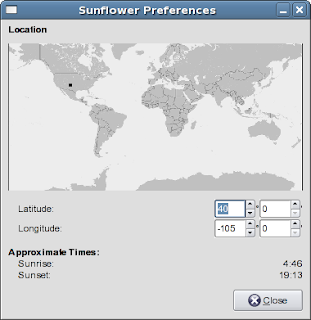
Every time, I work with GTK I find out some more things that are really easy to do, once you do a little reading. Usually the tricky part is figuring out how to get something in the spot you expect it.

Every time, I work with GTK I find out some more things that are really easy to do, once you do a little reading. Usually the tricky part is figuring out how to get something in the spot you expect it.
Am I nuts...
Whew.... Sunday morning was a big software release day for me. I released the following applications for GNOME
GNOME MPlayer 0.4.6
Gecko Media Player 0.0.6
Sunflower Applet 0.6
Grandr Applet 0.3
These can all be found at http://dekorte.homeip.net/download
GNOME MPlayer 0.4.6
Gecko Media Player 0.0.6
Sunflower Applet 0.6
Grandr Applet 0.3
These can all be found at http://dekorte.homeip.net/download
Saturday, May 05, 2007
grandr_applet
The grandr applet for GNOME had been unmaintained for awhile and I use it every now and then and there were a few problems with it. So I found those problems and fixed them and offered them as patches upstream. The author of grandr_applet said he really wasn't doing much with it these days, so I offered to take over maintenance of it. He said, "Go for it". So now I guess I am the maintainer of the app until someone else wants it. So far I have yet to do a release, but it is in my cvs with my patches. I'm waiting to see what breaks when the new xrandr 1.2 comes out.
GNOME MPlayer
I've been doing a lot of GUI work on the GNOME MPlayer. Some of the work I'm doing may not agree 100% with the GNOME HIG documents but, I think the end result will be pretty close. And the GUI I end up with is gonna be a lot less heinous than any of the gmplayer themes. Lots of discussion of how the GUI should meet the HIG but definitely no patches coming in to "correct" many of them. I think alot of the HIG complaints are just personal preferences masked as a "compliance issues". Personally, I have my own preferences and I think I'll choose mine over others unless there is a really good reason.
Tuesday, February 20, 2007
mplayerplug-in being changed to gecko-mediaplayer
mplayerplug-in is a great plugin for Mozilla/Firefox it works for a lot of sites out there and gives generally good results. But I think the end is near for it. I will continue to maintain it over the the next year fixing anything that comes up with it but the future is definitely with gecko-mediaplayer. What is gecko-mediaplayer? Well what I have done is separated out the functionality of mplayerplug-in into two components. The first component is the part that is very tightly integrated with the browser. It handles the requesting of media and the javascript commands. The other component is the actual media player itself. I have implemented a wrapper called GNOME MPlayer that handles this. This component can be used as a standalone player or as an embedded component. The plugin and the player communicate with each other over DBus. DBus was choosen because it is well supported on Linux and is becoming a common component on Linux systems so I could depend on it being available.
So what does all this changing around give us.
1. It gives us the ability to have the GUI abstacted away from the plugin. This is good in that then the GUI will not conflict with the GUI of the browser. So now Opera and perhaps Konqueror can become fully supported again.
2. This also gives gecko-mediaplayer the ability to use different players as long as they emulate that gnome-mplayer dbus interface.
All in all I think it is a good change. I think the code will be easier to maintain and therefore should be more reliable.
Edit 2010/02/22: Updated Links
So what does all this changing around give us.
1. It gives us the ability to have the GUI abstacted away from the plugin. This is good in that then the GUI will not conflict with the GUI of the browser. So now Opera and perhaps Konqueror can become fully supported again.
2. This also gives gecko-mediaplayer the ability to use different players as long as they emulate that gnome-mplayer dbus interface.
All in all I think it is a good change. I think the code will be easier to maintain and therefore should be more reliable.
Edit 2010/02/22: Updated Links
Wednesday, August 23, 2006
Czech Republic is hitting me...
My poor little home webserver has been taking some traffic since root.cz put up a link to sunflower on their page. Unfortunately they are pointing to v0.1 which is not the current version. But if people like it they will come back looking for it.
If you are reading this blog you can get sunflower 0.2 from here.
So what else is new... not a whole lot except I did redo the main page of my website. Still needs some more content, but it looks a heck of a lot better.
If you are reading this blog you can get sunflower 0.2 from here.
So what else is new... not a whole lot except I did redo the main page of my website. Still needs some more content, but it looks a heck of a lot better.
Tuesday, August 15, 2006
gshade renamed
I thought the name gshade kinda sucked.. so I renamed the project to sunflower.
You can get it here: http://dekorte.homeip.net/download/sunflower-0.1.tar.gz
You can get it here: http://dekorte.homeip.net/download/sunflower-0.1.tar.gz
compiz fun
Ok, ok it has been awhile since I have updated this... but anyway, I have been playing (er.. working) with Fedora Core 6 (Rawhide) and they have included a new super spiffy window manager called compiz. You can enable it just by clicking System->Preferences->More Preferences->Desktop Effects.
Anyway one of the new features of compiz is true transparent shadows on a window. So I got thinking and said to myself "Self, what if we can make the shadow move like it is responding to the sun". So I played around in gconf editor and found that you can adjust the shadow in the fly. So I took a look at the desktop-effects.c code and the grandr code and whipped up a Gnome Applet that has the shadow shift from 6am to 6pm. As the "sun" goes from right to left over your monitor (that is the convention I used). The shadow goes from left to right. So in the morning the shadow will be on the left and bottom of the window. At noon it will be just at the bottom and then at night it will be on the bottom and right. So far I have been playing with it on my machine and it seems to work as expected for the most part. If you want to play with it you can get it from here.
http://dekorte.homeip.net/download/gshade-0.1.tar.gz
Anyway one of the new features of compiz is true transparent shadows on a window. So I got thinking and said to myself "Self, what if we can make the shadow move like it is responding to the sun". So I played around in gconf editor and found that you can adjust the shadow in the fly. So I took a look at the desktop-effects.c code and the grandr code and whipped up a Gnome Applet that has the shadow shift from 6am to 6pm. As the "sun" goes from right to left over your monitor (that is the convention I used). The shadow goes from left to right. So in the morning the shadow will be on the left and bottom of the window. At noon it will be just at the bottom and then at night it will be on the bottom and right. So far I have been playing with it on my machine and it seems to work as expected for the most part. If you want to play with it you can get it from here.
http://dekorte.homeip.net/download/gshade-0.1.tar.gz
Saturday, September 17, 2005


Subscribe to:
Posts (Atom)